Personalized practice that fits your kid’s week
PersonalizedStandards-basedOnline or off
Ten minutes at a time, tied to the standards your kid is working on this week — on a screen or printed out. You see what stuck.
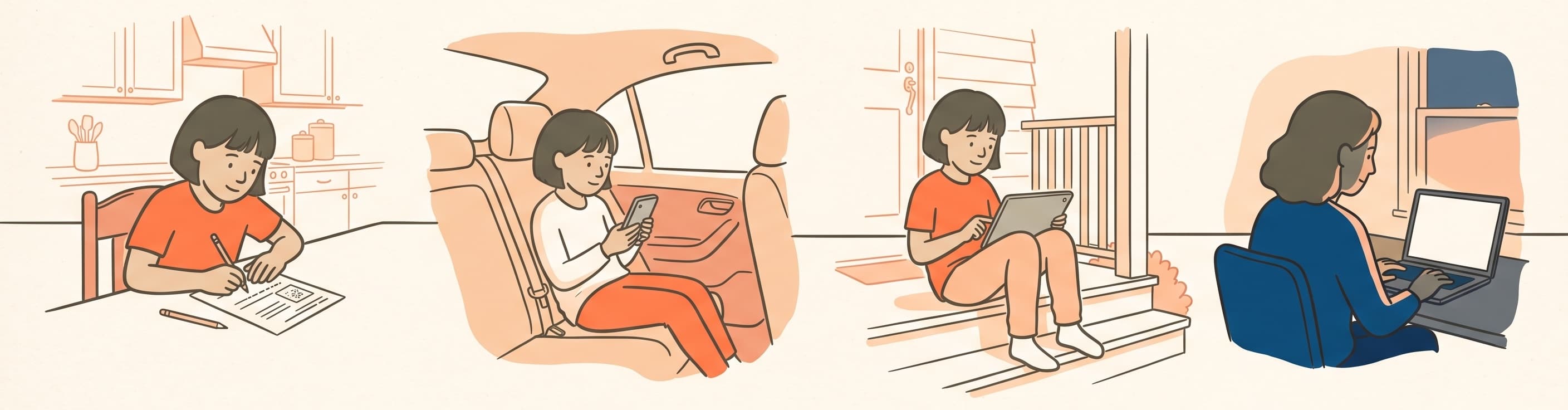
- PaperKitchen table
- PhoneCar line
- TabletAfter dinner
- LaptopAny time
Ten minutes to set up. Then it runs on its own.
We build the plan
A short warm-up, starting with things your kid likely already knows. It just tells us where to aim.
Your kid practices
Ten minutes, a few times a week. We say what’s next and why — they can always pick something else.
We re-aim as they go
A short check-in every few weeks tells you what the plan is working on now, and what’s dropped off.
Something to show
Practice uncovers a poster your kid designed. No streaks, no points — just a picture that fills in.
Every question is written against one of your state’s standards and tagged with it — curated, not a firehose of generated questions. Same plan on a phone, a tablet, or printed out in pencil.
No two kids get the same worksheet.
Print a page whenever you want one and the screen can go away for a while. It’s the same personalized plan on paper — and when the finished page comes back, the plan keeps moving. A break from screens isn’t a break from learning.
Print a page
The same questions the plan would have asked on screen. Print one a week or one a day — built for your kid, not for the grade.
Work it in pencil
At the kitchen table, in the car, at grandma’s. Nothing to log into and nothing to charge.
Photograph it when it’s done
The finished page joins everything else you can see — and counts toward what comes next.
The next page is different because of the last one — whether that page was on a screen or on the kitchen table. The plan doesn’t care which, and neither should your kid.
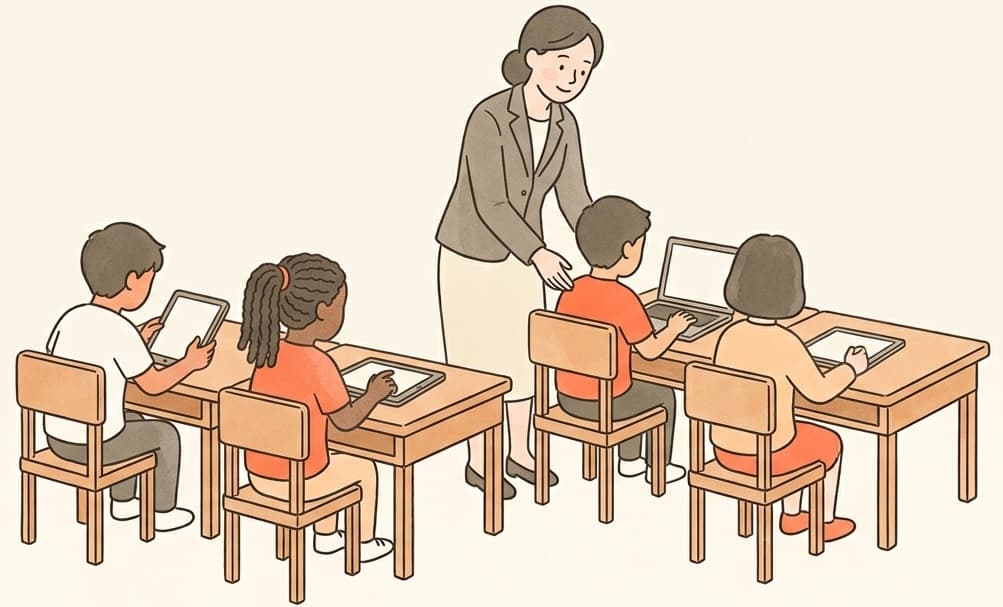
One classroom, every family.
Set your class up in minutes, then hand parents a code. Your students practice the standards you’re teaching, you see who’s ready and who needs help, and every family you bring on gets a real head start at home.
- Up to 30 students for the whole school year
- Standards-aligned practice with a class dashboard and per-student progress
- Invite parents with one class code — they connect their child at home, no roster work for you
- No trial to fuss with — 30-day money-back guarantee

I built this for Tucker.
I’m Eric — a professor and researcher by day, but mostly a dad. When Tucker hit fifth grade, I wanted to help him get ready for his end of grade tests. I tried the other apps and was disappointed.
So I made this for him. Real questions mapped to the actual standards, a clear view of where he was strong and where he needed work, and a small reward — a poster he designed, gradually uncovered with every right answer.
He liked it (and did great on his tests!). Other parents and teachers asked, so I’m sharing it. Give it a try and let me know what you think at support@practicemarks.com.
Common questions
How long does setting up take?
About ten minutes, once — we call it the tune. Your kid answers a set of questions that starts with work from last year and builds up, and that is what aims the practice. You can stop halfway and pick it up later.
What if we don’t have a printer?
Everything works on a screen. The printed worksheets are there for families who would rather do some of it on paper — they are an option, not a step.
Is this the same as test prep?
It is built on the same standards the state tests are built on, so it does that job. But it is aimed at the school year rather than at one week in May — practice that moves with what your kid is being taught, all year.
Do I need to download an app?
No. PracticeMarks runs in any modern web browser — Safari, Chrome, Edge, Firefox. There’s nothing to install on the phone, tablet, or computer.
Can my child use an iPad or their own device?
Yes. Each kid gets their own profile under your account. They can log in on any device — phone, tablet, or laptop — with your parent email plus their own username and password. Or they can practice on your device while you’re already logged in. Either way, the work feeds into the same parent dashboard.
What happens when my plan ends?
It depends which plan you’re on. The school-year plan is a one-time payment and it runs to June 30 — the same date for everyone, whichever day you bought it. Then access ends and you are never charged again; buying the next school year is your choice, not a default. The monthly plan renews each month until you cancel, and you can cancel any time from your account page without emailing anyone. Either way your kids and all their progress are preserved.
Will my child actually use this, or will they get bored?
Each kid designs their own poster — choosing the subject and art style — and a piece of it is revealed each time they answer a question. Finished posters land in a personal gallery. It holds them because the picture is theirs — they chose it, and they are the only one uncovering it.
Is this aligned to my state’s standards?
Yes. Every question is mapped to a specific standard code at the kid’s grade level. You can browse the full standards list and see which ones your child has practiced.
What if we don’t like it?
Then have your money back. The school-year plan comes with a full refund within 30 days, and you do not have to explain yourself to get it. The monthly plan has no refund window because it does not need one — cancel from your account page and it stops. Either way I would genuinely like to know what did not work. support@practicemarks.com.
Can I track my child’s progress?
Yes — that’s the parent dashboard. You see accuracy by subject, a chart of how that moves over the weeks, per-standard breakdowns, and the misconception view that calls out the specific misunderstandings behind recent wrong answers.
Is my child’s data safe?
Kid accounts live under the parent account. No ads, no data selling, no third-party trackers on the practice surfaces. See the privacy policy for the specifics.